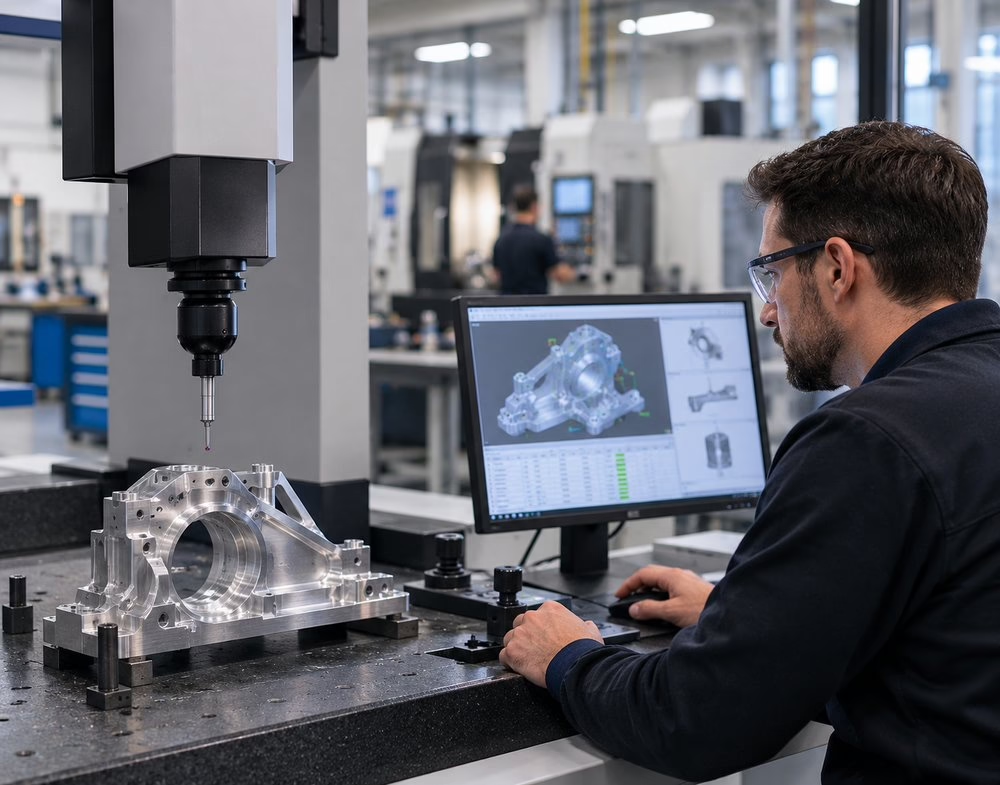
Common CNC Design Mistakes Engineers Make
Common CNC design mistakes often come from parts that look correct in CAD but create unnecessary machining challenges during production. Problems such as unrealistic tolerances, poor internal geometry, deep pockets, difficult tool access, and weak fixturing considerations can increase cost, extend lead times, and reduce repeatability.
For manufacturing engineers, these issues affect much more than machining time. They can impact inspection, setup complexity, prototype scalability, and production reliability.
1. Unrealistic Tolerances
One of the most common design mistakes is applying tight tolerances to every feature instead of only the dimensions that truly affect function. While CNC machining can achieve tight tolerances, unnecessary precision increases machining difficulty, inspection time, and setup control requirements.
 Manufacturing Consequence
Over-tolerancing increases cost and production complexity without improving part performance. A better approach is to identify critical dimensions while allowing practical tolerances elsewhere.
2. Sharp Internal Corners
CNC milling tools are round, so perfectly sharp internal corners are difficult to produce efficiently. Designing small inside corners may require tiny cutting tools, slower machining strategies, or secondary operations.
Manufacturing Consequence
Sharp corners increase cycle time, tooling wear, and machining cost. Adding appropriate corner radii improves manufacturability and tool life.
3. Deep Pockets and Difficult Tool Access
Deep pockets, narrow cavities, and hard-to-reach features are common machining challenges. As tool reach increases, rigidity decreases. This can affect wall accuracy, surface finish, and dimensional consistency.
Manufacturing Consequence
Deep features often require slower cutting speeds, longer tools, and additional machining passes. That increases cost and can make repeatability more difficult during production.
4. Ignoring Tool Access
A part may look fully manufacturable in CAD while still being difficult to machine because tools cannot efficiently access required surfaces. This issue often appears with enclosed geometry, undercuts, or complex multi-sided features.
Manufacturing Consequence
Poor tool access can create additional setups, more fixture requirements, longer programming time, and higher inspection complexity. Each additional setup also introduces more opportunity for variation.
5. Unnecessary Part Complexity
Not every complex feature improves performance. Decorative contours, excessive small details, and overly complicated geometry can add machining difficulty without improving function.
Manufacturing Consequence
Unnecessary complexity increases programming time, tool changes, cycle time, and inspection effort. It can also make a prototype harder to scale into repeat production.
A good DFM review asks: Does this feature improve performance, or does it only increase machining burden?
6. Material Selection Without Machinability Considerations
Material choice directly affects machining performance. Aluminum, stainless steel, titanium, engineering plastics, and exotic alloys all behave differently during cutting.
For example:
- Stainless steel may work-harden
- Titanium creates heat and tooling challenges
- Plastics may deform without proper support
Manufacturing Consequence
Poor material selection can affect tool life, tolerances, lead time, and overall production cost. Engineers should consider machinability alongside strength, corrosion resistance, and weight requirements.
7. Forgetting About Workholding and Fixturing
Every CNC part must be held securely during machining. Thin walls, irregular shapes, and multi-sided parts can create fixturing challenges if the design does not account for them early.
Manufacturing Consequence
Weak fixturing strategy can create vibration, distortion, and repeatability problems. It can also increase setup time and make production scaling more difficult.
8. Designing a Prototype That Does Not Scale
A prototype may only need to work once. Production parts must be repeatable, inspectable, and efficient to manufacture consistently.
Manufacturing Consequence
Prototype-to-production issues can lead to redesign, delays, and higher manufacturing costs. Early DFM discussions help reduce these risks before production begins.
Why These Mistakes Matter Beyond Engineering
CNC design mistakes affect more than machining operations.
- Engineering teams face manufacturability and tolerance issues
- Procurement teams may see quoting inconsistencies between suppliers
- Program managers can encounter schedule delays
- Quality teams may deal with increased inspection burden and nonconformance risk
Small design decisions often create larger operational consequences during production.
The bottom line
The most common CNC design mistakes are usually not obvious during CAD development. They appear later during machining, inspection, and repeat production. By considering manufacturability early — including tolerances, geometry, tool access, materials, and fixturing — engineers can reduce cost, improve repeatability, and avoid production delays.
Contact Borg Design to discuss your project and review whether your part design is ready for efficient, repeatable CNC machining.